The short answer
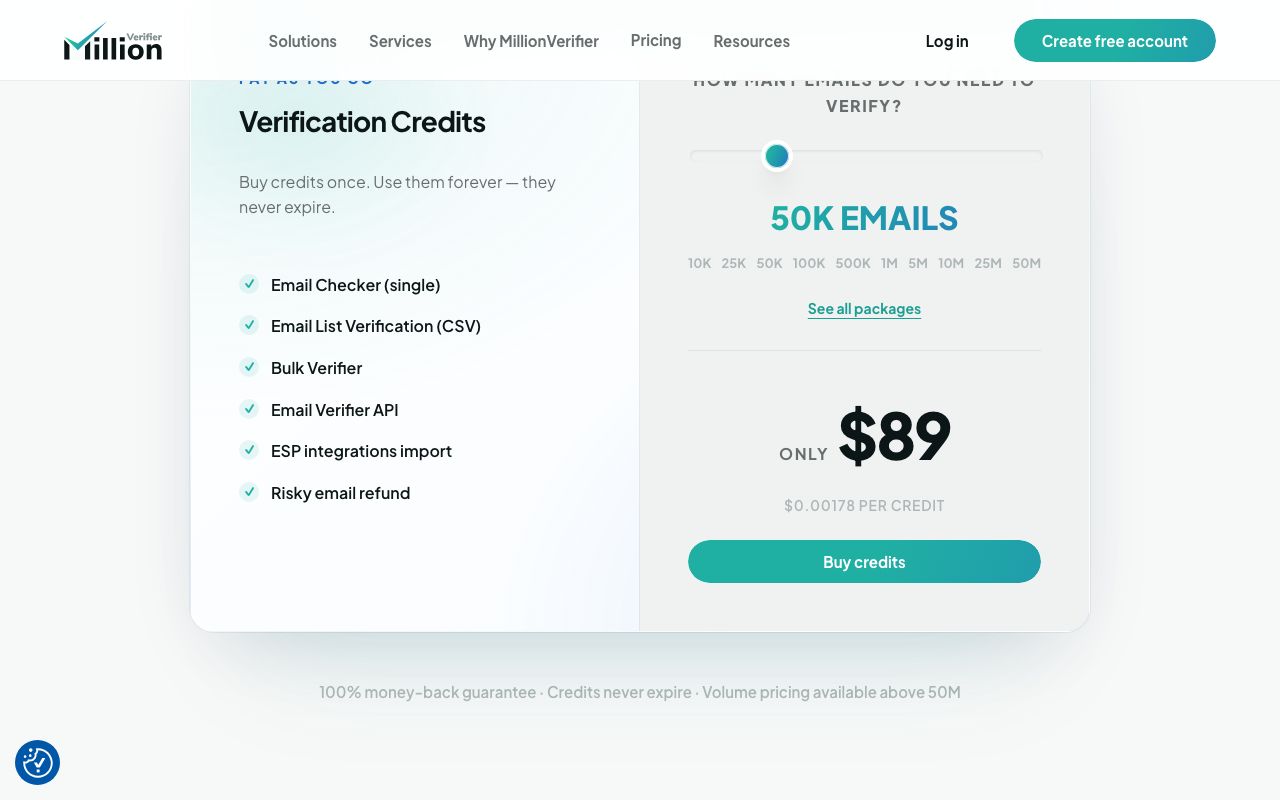
Run the list through an email verifier, send only to "valid" results, hold back catch-all and unknown addresses for a small test, and drop invalid and disposable ones. Aim for a hard bounce rate under 2%: Amazon SES puts accounts under review at 5% and may pause them at 10%. Bulk verification costs from about $1.78 per 1,000 addresses (MillionVerifier, 50,000 credits for $89).
Every list goes stale. People leave, businesses switch from an old ISP mailbox to a new domain, and small firms close. Send to those addresses and they bounce. A few bounces are normal. A lot of them tell mailbox providers you are mailing a list you don't know, and your next email to a real prospect lands in spam.
Verification is the cheap fix. A verifier talks to each recipient's mail server and asks whether the mailbox exists, without sending anything. This guide covers how that works, what to do with each result and what it costs. It uses our own files as the example: 479,413 addresses across 323 lists of small and local businesses.
What an email verifier checks
Every serious verifier runs the same checks in roughly the same order. Each one is cheaper and faster than the next, so an address that fails early never reaches the slow part.
- 01
Syntax
Is it a well-formed address? Catches typos, spaces, missing @, and "addresses" that are really image file names scraped from a web page ([email protected]).
- 02
Domain and MX records
Does the domain exist, and does it publish mail exchanger (MX) records? A business that let its domain lapse fails here.
- 03
Mailbox check (SMTP)
The verifier connects to the mail server and starts a delivery to the address, then stops before sending. The server's answer ("user unknown" or "OK") decides valid or invalid.
- 04
Catch-all detection
Some servers say OK to every address, real or not. The verifier tests a random address on the domain; if that is accepted too, the domain is catch-all and the result is "accept-all" or "risky".
- 05
Role, disposable and free mail flags
info@ and sales@ are flagged as role addresses; throwaway domains as disposable. Gmail, Yahoo and similar are flagged as free mail. These are labels for you to decide on, not failures.
The mailbox check is the part that matters and the part that can't be faked with a regex. It is also why results are not permanent: a mailbox valid today can be deleted next month.
| Result | What it means | What to do |
|---|---|---|
| Valid | The server confirmed the mailbox | Send |
| Invalid | The server rejected it, or the domain has no mail server | Remove; never send |
| Catch-all / accept-all | The server accepts every address, so the mailbox can't be confirmed | Send in a small test batch first, watch bounces |
| Unknown | The server didn't answer (timeout, greylisting) | Re-check in a day; most tools don't charge for these |
| Role | A shared inbox like info@ or office@ | Send if it's the best address you have; put it after personal ones |
| Disposable | A throwaway mailbox domain | Remove |
What bounce rates mean for deliverability
Mailbox providers watch two numbers: how many of your emails hard bounce, and how many recipients mark you as spam. Amazon SES publishes its thresholds, which make a useful rule of thumb for any sender: keep your bounce rate below 2%; at 5% the account goes under review; at 10% SES may pause sending. Only hard bounces count ("address does not exist"), not "mailbox full".
Gmail's sender guidelines set the other limit. Keep the spam rate shown in Postmaster Tools below 0.10% and never let it reach 0.30%. Verification doesn't fix spam complaints, but it removes the dead addresses that drag down the rest of your numbers, and some old abandoned addresses are turned into spam traps that providers use to catch list buyers.
What's in a small-business email list (share of 479,413 addresses)
How to verify a list, step by step
- Clean the file first. Lower-case every address, trim spaces, remove duplicates and anything without an @. Drop system inboxes that will never buy: noreply@, webmaster@, privacy@, careers@, billing@. They cost verification credits and add nothing.
- Upload to a verifier. Most take a CSV and return it with a status column. Keep a copy of the original.
- Split by result. Valid goes in your send list. Invalid and disposable go in a suppression list so they never come back in a future import. Catch-all and unknown go in a hold list.
- Re-check unknowns. Run them again a day later; greylisting servers often answer the second time.
- Test the grey zone. Send your first sequence to valid addresses only. Then add catch-all addresses in small batches and watch the bounce rate. If it climbs, stop.
- Use the second address. When an address fails, check whether you have another for the same business. 72.3% of the businesses with an email in our lists have two or more.
- Re-check a list that has sat for months. Mailboxes close and small firms change domains, so a result from last quarter is out of date. Re-run the file before you use it again.
- Remove bounces as they happen. Your sending tool should suppress hard bounces automatically. Check that it does.
If you then load the list into a CRM, carry the verification status across as a field so the next person knows which rows are safe. Importing a lead list into your CRM covers field mapping.
What verification costs
Prices are low enough that there is no reason to skip this. For a list of 1,000 businesses you are looking at a few dollars at most of the tools below.
| Verifier | Entry price | Bulk price | Notes |
|---|---|---|---|
| ZeroBounce | $39 for 2,000 (pay as you go) | Subscription plan from $99/mo | 100 free credits a month; unknown results not charged |
| MillionVerifier | From $39 | $89 for 50,000 ($0.00178 each); $449 for 1 million | Credits never expire; refund on emails it can't verify with certainty |
| Hunter | Free: 50 credits a month | Starter $49/mo for 2,000 credits | A verification costs 0.5 credit, so 2,000 credits verify up to 4,000 addresses |
| Outscraper Email Verifier | First 25 free | $3 per 1,000 | Charged per address checked; separate from its scrapers |
Building the list yourself adds the scraping cost on top; buy vs build a lead list adds it all up, and our Outscraper comparison shows how its scraper and verifier stack.
How LeadLists verifies every email before delivery
Every address in a LeadLists file has been through this process before it reaches you, so you can load it and send. For the ready-made lists the steps are:
- Found on the business's own sources. Addresses come from the business website (contact, about, team and other pages), its Facebook page and other public sources. 71.3% of the addresses we deliver sit on the business's own domain.
- System inboxes removed. privacy@, careers@, webmaster@, hr@, press@, billing@ and similar never reach a buyer. In the raw crawl of 647,121 unique addresses, 1.0% were dropped this way.
- Third-party addresses removed. An address that shows up on several unrelated businesses belongs to a web agency, a directory or a franchise office, not to the business. We drop it.
- Ranked. The best address goes first: own domain before other domains, and a named decision-maker before a shared inbox. Each row says whether the email matches the website.
- Checked with the mail server. Each address gets a mailbox check before the file is delivered.
You can see the result in the 12 free sample rows on every list page, such as colleges in California or real estate agents in Palm Beach County. Bespoke plans run the same checks on lists built to your brief: Bespoke Starter is $99 a month for 2,000 verified leads, Bespoke Pro $199 a month for 5,000. If you are comparing vendors, our lead list quality checklist lists what to ask about verification.